Incoming call: you, in the light box

Hotline Bling AI Video Generator

Hotline Bling AI puts you in the viral Hotline Bling dance trend from one photo. Pick the 18-second original or the 17-second Pt 2, and get a vertical MP4 of you dancing in the glowing light-box rooms, with a new outfit at every cut and the song. No filming, no prompt, no app.

  • One photo, no prompt
  • Two videos: 18 s or 17 s
  • A new outfit every cut
  • Up to 1080p
  • Failed videos refund your credits
  • No watermark
  • Credits never expire

Make your AI Hotline Bling video

18 s · With the song

1Pick your video

Seven shots in the glowing light-box rooms, a new outfit at every cut.

2Your photo
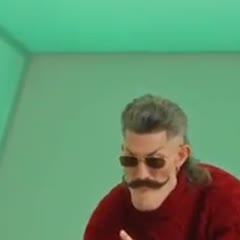
The dancer in the template clip
Takes this spot

Group photos won't work. One person, facing the camera, head to waist in frame, good light, no sunglasses. Adults only, no celebrities. JPG, PNG or WebP.

3Quality

The template your video recreates, shot for shot. You take the dancer’s place; the rooms, the outfits and the song stay.

What does Hotline Bling AI make from one photo?

One photo in, one finished dance video out. The AI recreates a Hotline Bling template clip with you as the dancer: the same glowing light-box rooms, the same moves, the same cuts and the song. Only the dancer changes, and you get a new outfit at every cut.

  • Two different videos to pick from

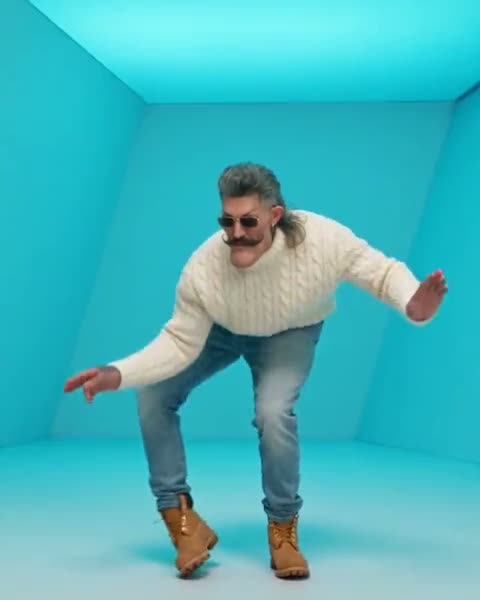
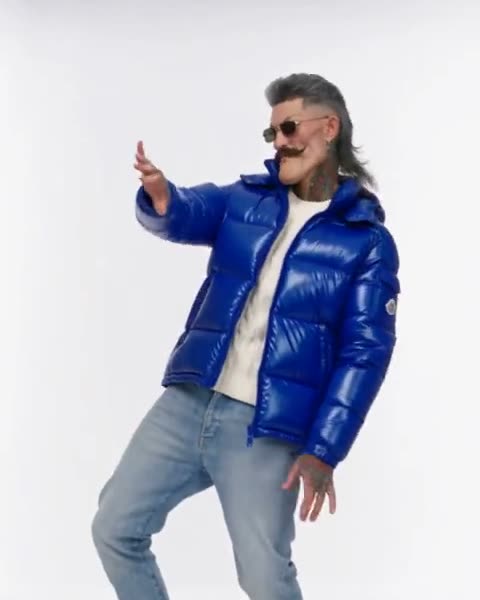
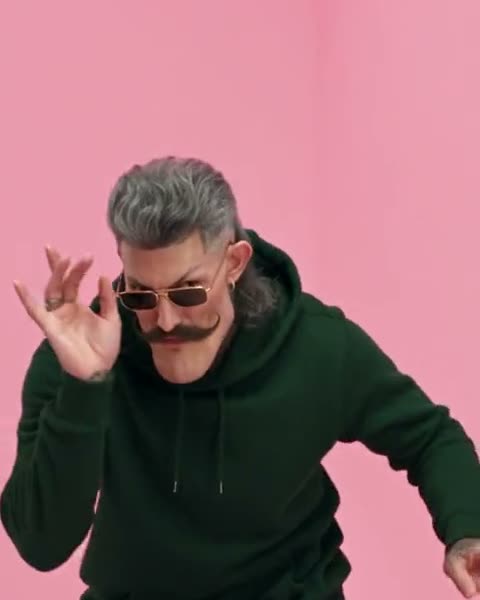
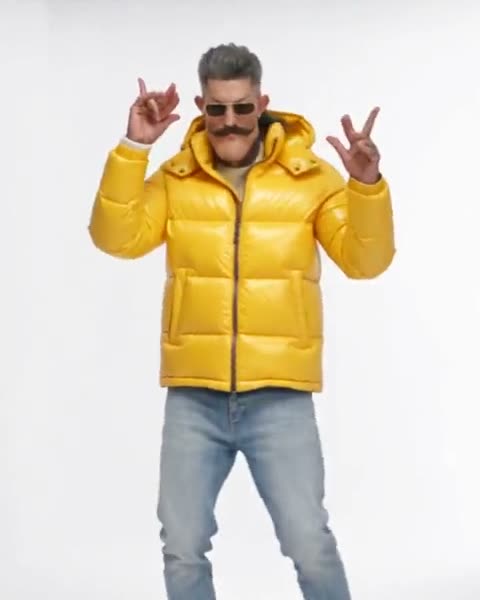
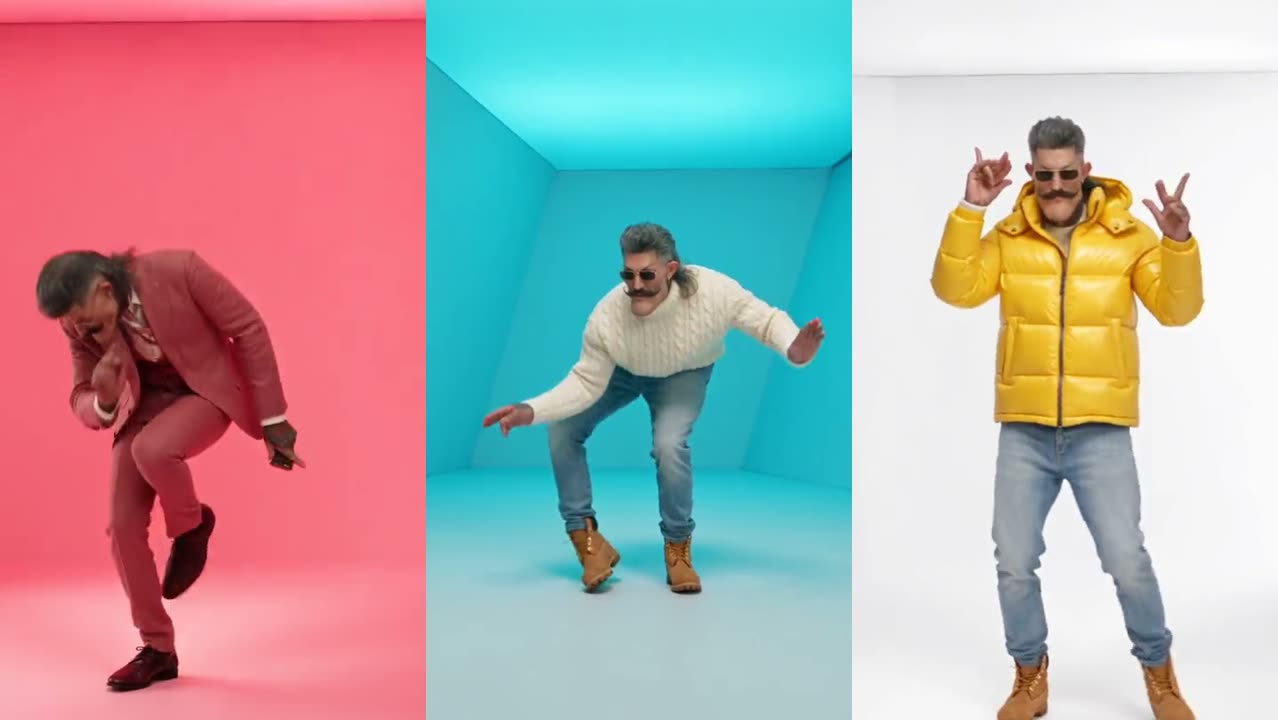
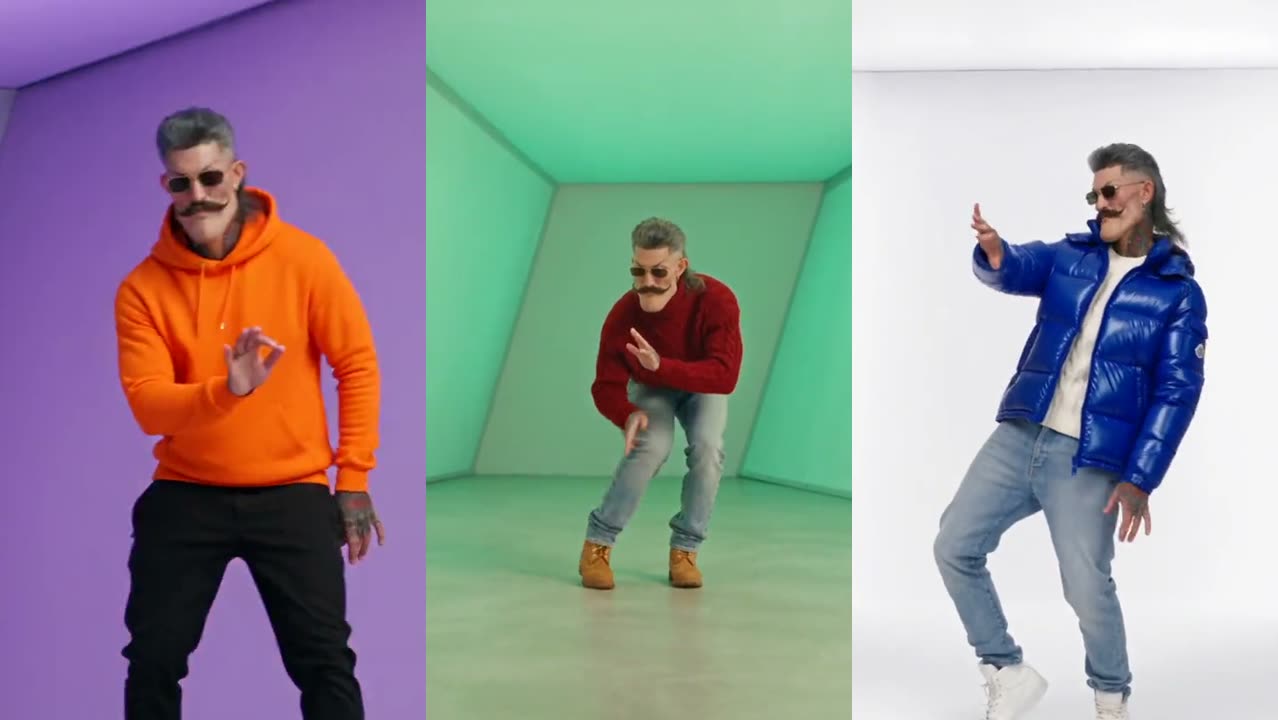
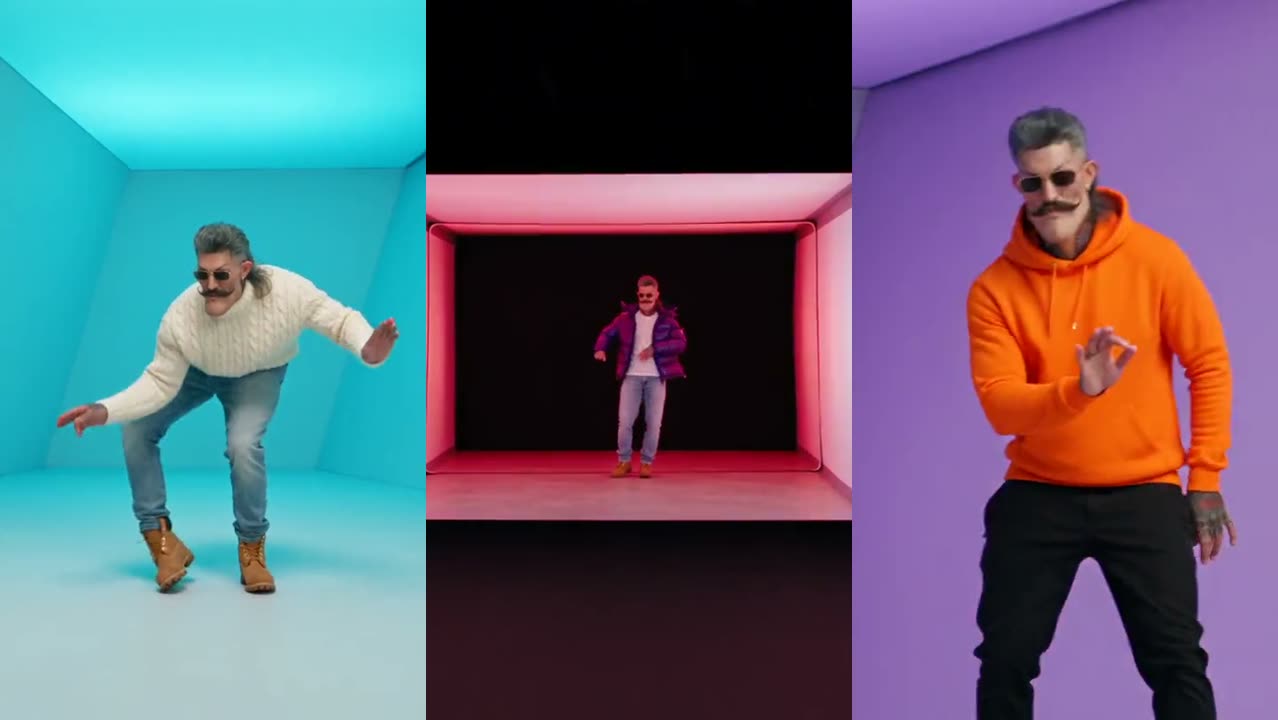
    The 18-second original has seven shots: a cream turtleneck, a cobalt puffer, a green hoodie, a mustard puffer, a silver puffer and an orange hoodie. The 17-second Pt 2 adds the long corridor and the white staircase. Pick one and the generator recreates that clip.

  • A new outfit at every cut

    Shot one keeps the outfit from your photo. From the second cut on, you wear the outfit of that shot in the template, so the video plays like a quick-change fashion edit.

  • The song and the beat, in sync

    The finished MP4 comes with the template’s soundtrack, and your moves land on the beat. There is no sound to add and nothing to line up in an editor.

  • 480p, 720p or 1080p

    Standard 480p costs 100 credits, HD 720p 200 credits and Full HD 1080p 600 credits, for either clip. The cost shows on the Generate button before you press it.

  • Vertical, no watermark

    Every video is 9:16 with sound and no logo on it, so it posts as it is to TikTok, Instagram Reels and YouTube Shorts.

  • Runs in your browser

    Works on iPhone, Android and desktop browsers. There is no app to install and no prompt to write.

Every shot of both Hotline Bling clips

These are the template clips your video recreates. Your photo replaces the dancer in each shot below; the room, the move and the outfit of each shot stay the same.

Hotline Bling

18 s · 7 shots

Seven shots in the glowing light-box rooms, a new outfit at every cut.
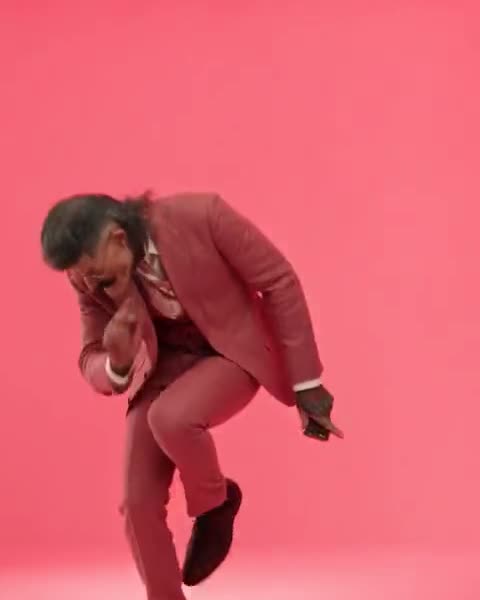
  1. Shot 1 of the Hotline Bling AI video template: your own outfit in the red-to-pink light wall
    Shot 1 · 0.0 sYour own outfitThe slow shoulder lean into the beat
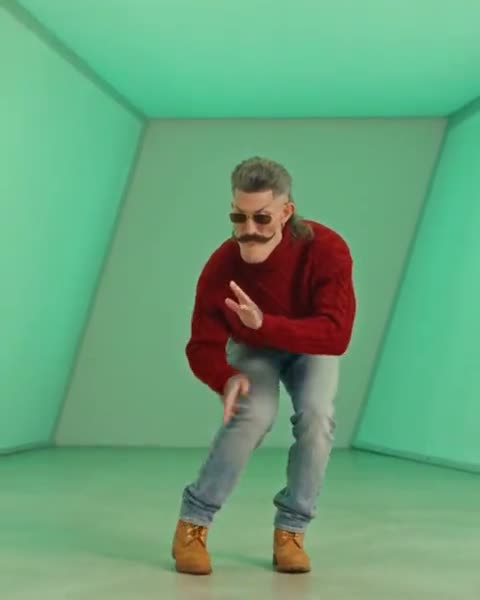
  2. Shot 2 of the Hotline Bling AI video template: cream cable-knit turtleneck in the light box that shifts blue, cyan, green and purple
    Shot 2 · 1.6 sCream cable-knit turtleneckThe low knee-bend sway with arms out
  3. Shot 3 of the Hotline Bling AI video template: cobalt puffer in the bright white studio
    Shot 3 · 5.5 sCobalt pufferThe side step with a pointing hand
  4. Shot 4 of the Hotline Bling AI video template: green hoodie in the pink wall
    Shot 4 · 7.2 sGreen hoodieThe close-up hand wave
  5. Shot 5 of the Hotline Bling AI video template: mustard puffer in the white studio
    Shot 5 · 10.3 sMustard pufferBoth hands up, finger guns
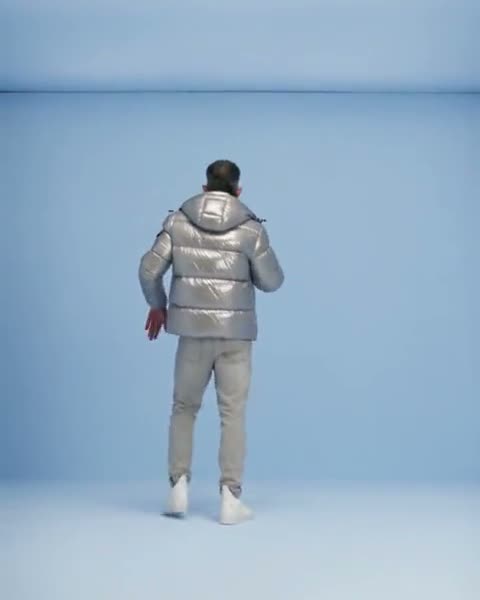
  6. Shot 6 of the Hotline Bling AI video template: silver puffer in the pale blue room
    Shot 6 · 11.8 sSilver pufferWalking away from the camera
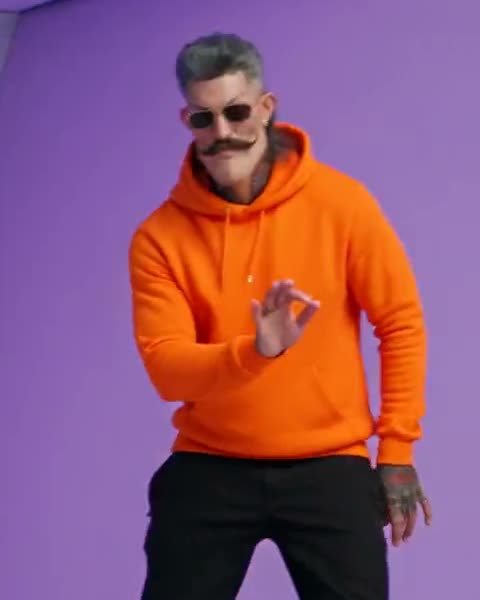
  7. Shot 7 of the Hotline Bling AI video template: orange hoodie in the pink, purple and blue walls
    Shot 7 · 14.2 sOrange hoodieThe one-leg bounce to the end

Pt 2

17 s · 5 shots

Five shots: the pink-wall close-up, the long corridor, the white staircase and the laughing shuffle.
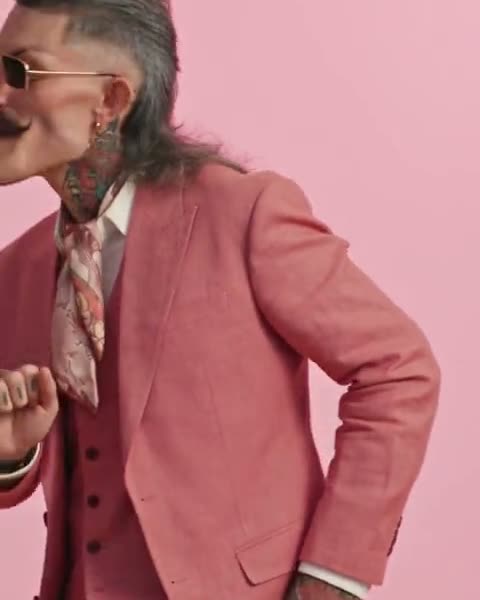
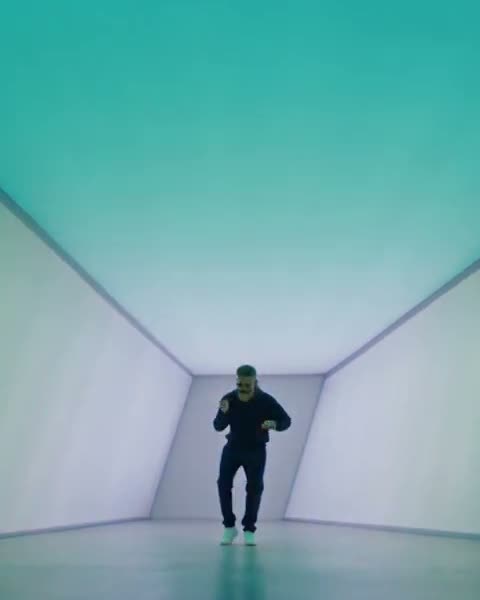
  1. Shot 1 of the Pt 2 AI video template: your own outfit in the pink wall, close-up
    Shot 1 · 0.0 sYour own outfitSinging to the camera with a hand on the hip
  2. Shot 2 of the Pt 2 AI video template: navy sweatsuit in the long glowing corridor
    Shot 2 · 1.6 sNavy sweatsuitDancing down the corridor toward the camera
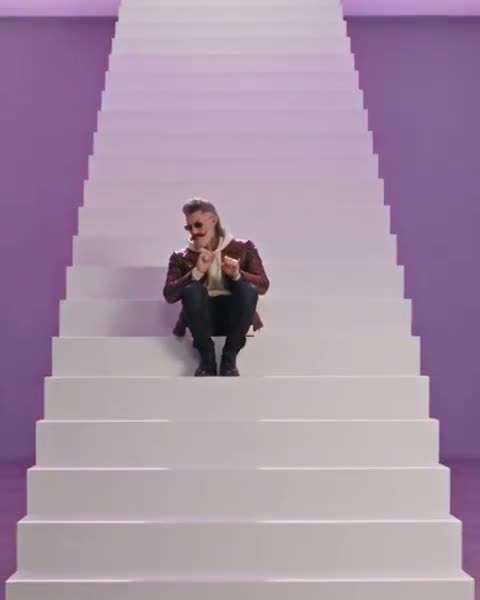
  3. Shot 3 of the Pt 2 AI video template: brown leather jacket in the white staircase under shifting light
    Shot 3 · 5.3 sBrown leather jacketSitting on the steps, hands moving to the beat
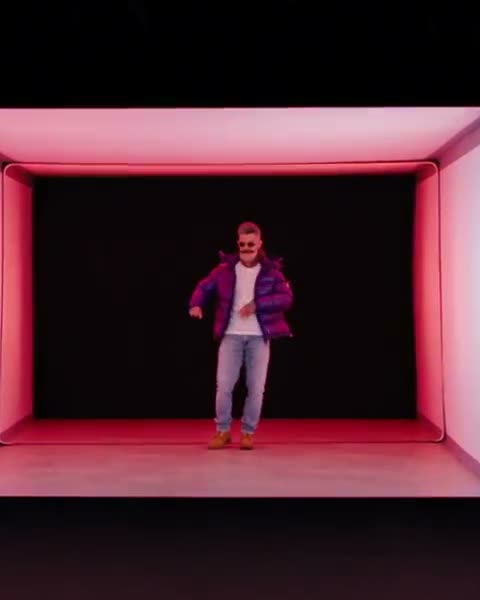
  4. Shot 4 of the Pt 2 AI video template: purple puffer in the framed light box in the dark
    Shot 4 · 8.6 sPurple pufferThe bounce in the glowing frame
  5. Shot 5 of the Pt 2 AI video template: red turtleneck in the light box that shifts purple, cyan and green
    Shot 5 · 12.2 sRed turtleneckThe laughing shuffle

How do you make the AI Hotline Bling video?

Three steps in the generator at the top of this page, with no editing app. The rooms, the moves, the outfit changes and the song are already built in.

  1. 1

    Pick your video

    Choose the 18-second Hotline Bling clip (seven shots) or the 17-second Pt 2 (five shots). Each one is a different template, so each one gives you a different video.

  2. 2

    Add one photo of yourself

    A clear, front-facing shot with head, shoulders and upper body in frame, and no sunglasses. You take the dancer’s place; the rooms, the outfits and the song stay as they are.

  3. 3

    Pick a quality and press Generate

    100 credits at 480p, 200 at 720p or 600 at 1080p. Rendering takes a few minutes and you can close the tab meanwhile. The MP4 waits under “My videos”, ready to download.

  4. The full walkthrough, with which clip to pick and how to fix a face that drifts, is in how to make the Hotline Bling AI trend video.

Photos that work best

  • One person per photo. Group shots confuse the model.
  • Head to waist in frame, facing the camera.
  • Even light and a sharp face. Take the sunglasses off: the AI needs your eyes.
  • Portrait or square crop, at least 341 px on each side. JPG, PNG or WebP.
  • Only adults who agreed to appear. No minors, celebrities or public figures.

Who is the Hotline Bling dance generator for?

The AI Hotline Bling video maker suits anyone who wants the trend without dancing, filming or editing. Most videos made here come from these people:

  • TikTok, Reels and Shorts creators

    You want a Hotline Bling video up while the trend is hot, in a format that posts as it is: vertical, with the song, no watermark.

  • People who don’t dance on camera

    No filming, no choreography, no outfit changes. One photo is enough; the AI does the moves and the seven costume changes.

  • Friends and group chats

    Put a friend in the light box for a birthday, a roast or a group-chat joke, as long as they are an adult and said yes.

  • Fashion and styling accounts

    The outfit change at every cut works like a lookbook: puffers, hoodies and turtlenecks in colored rooms, starring you.

Use something else if you want…

How much does an AI Hotline Bling video cost?

Buy credits once and use them whenever you like: they never expire. No watermark, and failed videos are refunded.

Single

$12.90

One video, to see how it looks.

  • 100 credits
  • 1 standard video
  • Credits never expire
  • Failed videos refunded automatically

Most popular

Starter

$25.90

Try both clips, plus one retake.

  • 300 credits
  • 3 standard videos
  • Credits never expire
  • Failed videos refunded automatically

Creator

$59.90

For you, your friends and a few retakes.

  • 900 credits
  • 1 Full HD video or 9 standard
  • Credits never expire
  • Failed videos refunded automatically

Pro

$99.90

For creators posting the trend every week.

  • 1800 credits
  • 3 Full HD videos or 18 standard
  • Credits never expire
  • Failed videos refunded automatically

Which AI tool is best for the Hotline Bling trend?

It depends on what you want in the video. For a solo video with a new outfit at every cut and a choice of two clips, this generator fits. For a duet, a GIF face swap or a scene you write yourself, another tool fits better. Here is what each one does, from each maker’s own page.

Hotline Bling AI video tools compared
ToolWhat you getPhotosLengthPricePick it when
Hotline Bling AI (this site)Two Hotline Bling clips to pick from, recreated with you as the dancer; a new outfit at every cut; up to 1080p.One photo of one adult18 s or 17 s100 credits per video at 480p; packs from $12.90 for 100 credits, no subscriptionYou want the solo video, a choice of two clips, and no watermark or subscription.
KapwingA Hotline Bling Drake dance template: upload a photo and get a 15-second AI video of you dancing in the color-shifting room, audio included.One photo15 sNot stated on the template page; Kapwing sells monthly plansYou already pay for Kapwing and want to edit the result in the same editor.
StarrdA Hotline Bling template with seven shots and a new outfit at every cut, plus a 17-second Pt 2 template. Runs on Seedance 2.5 and takes optional Director’s Notes.One photo (pets work too)18 s (Pt 2: 17 s)200 Starrd credits per video; packs start at $4.99 for 100 credits on the webYou want an iPhone app, or want to change the mood with written notes.
EAST.IMA two-person version: you and a friend trade shots dancing in the pink room from the music video.Two photos15 sNot stated in its search listingYou want a duet with a friend instead of a solo.
Media.ioA Hotline Bling-inspired dance generator that starts from your photo plus a written prompt or a motion reference video.One photoDepends on the workflow you pickNot stated in its search listingYou want to write your own scene or bring your own dance clip.
Magic HourA face swap on the Drake Hotline Bling GIF: your face replaces Drake’s in the famous scene.One face photoGIF lengthNot stated in its search listingYou only want the classic meme GIF with your face, not a new dance video.

Last checked . Details of other tools come from their own pages and search listings and can change. The longer side-by-side is in the Hotline Bling generators comparison.

The original, 2015

Where did the Hotline Bling dance trend come from?

“Hotline Bling” is a 2015 Drake song produced by Nineteen85. Its music video, directed by Director X and released on October 19, 2015, shows Drake dancing alone in empty rooms whose walls glow one color at a time, a look inspired by the light installations of artist James Turrell. The video turned Drake’s dance moves into one of the internet’s most remixed memes.

In autumn 2026 the clip came back as an AI trend: people put themselves in the light-box rooms, with a new outfit at every cut. The AI Hotline Bling video maker on this page makes that video from one photo of you.

The trend itself is covered in the Hotline Bling AI trend; the story of the 2015 video is in who made the Hotline Bling video.

Questions people ask about the AI Hotline Bling video

Hotline Bling AI is an online video generator that puts you in the Hotline Bling dance trend. You upload one photo, pick one of two template clips, and the AI recreates that clip with you as the dancer: the glowing light-box rooms, the moves, a new outfit at every cut and the song. It runs in the browser, with no app and no prompt.

Making the trend video takes three steps in the generator at the top of this page. Pick the 18-second original or the 17-second Pt 2, upload one clear front-facing photo of yourself, choose 480p, 720p or 1080p and press Generate. The finished vertical MP4 appears under “My videos” a few minutes later, ready to download and post.

The two Hotline Bling templates are different clips, so they give different videos. The 18-second original has seven shots in the light-box rooms: your own outfit, then a cream turtleneck, a cobalt puffer, a green hoodie, a mustard puffer, a silver puffer and an orange hoodie. The 17-second Pt 2 has five shots: a pink-wall close-up, a long glowing corridor, a white staircase, a framed light box and a laughing shuffle in a red turtleneck.

Yes. In both Hotline Bling templates the first shot keeps the outfit from your photo, and every later shot dresses you in that shot’s outfit from the template. The 18-second clip changes outfit six times and Pt 2 four times.

Yes. The finished AI Hotline Bling video comes with the soundtrack of the template you picked, and the dance moves land on the beat. If TikTok or Instagram mutes it after you post, add the Hotline Bling sound inside the app instead.

One person facing the camera, with head, shoulders and upper body in frame, in even light, with nothing covering the face. Take the sunglasses off: the AI needs your eyes to keep your likeness. Use JPG, PNG or WebP of at least 341 px on each side. Group photos, side angles and heavy beauty filters give the weakest results.

The AI redraws your face in every frame while you dance and turn, so the likeness can only be as good as the photo it starts from. Small, blurry, dark or side-on photos, sunglasses and beauty filters make faces drift. A sharp photo taken at eye level in daylight gives the closest likeness.

Most videos finish in a few minutes, and busy times can take longer. You can close the page while it renders. The video keeps rendering and shows up under “My videos” when you come back.

Yes. The generator runs in Safari and Chrome on iPhone and Android as well as on desktop, so there is nothing to install. Upload a photo from your camera roll, and save the finished MP4 back to it to post on TikTok, Reels or Shorts.

Download the MP4 and upload it to TikTok as a normal post. The video is already vertical and has the song, so you do not need to add the sound again. Turn on TikTok’s AI-generated content label before you publish, and use tags like #hotlinebling and #aitrend.

A friend, yes, if they are an adult and agreed to it. Photos of celebrities, public figures and anyone under 18 are not allowed, and that includes Drake.

A Hotline Bling AI video costs 100 credits at Standard (480p), 200 at HD (720p) or 600 at Full HD (1080p), for either clip. Credits come in one-time packs from $12.90 for 100 credits, with no subscription, and they never expire.

The generator on this site is not free: a video starts at 100 credits, and the smallest pack is $12.90. Every video renders on paid AI servers, so most generators either charge or limit free videos and add a watermark. Here you only pay for videos that finish: a failed video’s credits come back automatically.

No. The MP4 you download has no watermark and no logo, at every quality and for both clips, so it posts like any other video.

No. Credits never expire and stay on your account until you spend them. Buying another pack adds to your balance, and a failed video’s credits come back automatically.

Your photo is sent to the AI provider only to make your video and is deleted from its storage within about 24 hours. Finished videos stay under “My videos” for 14 days, then expire; download the ones you want to keep. Nobody else can see your videos.

The Hotline Bling dance is Drake’s loose, playful dancing in the 2015 “Hotline Bling” music video: side-to-side shuffles, knee bends and arm waves, performed alone in rooms that glow one color at a time. Clips of the dance were remixed into countless memes, and a shot of Drake waving something away became the “Drakeposting” reaction format.

No. Hotline Bling AI is an independent fan tool for making your own take on the trend. It is not affiliated with, endorsed by or connected to Drake, OVO Sound, his labels, Director X, Apple or any rights holder of the song or the music video.

Last updated . Prices and video lengths on this page come from the live generator settings.

Your phone is ringing. It’s the light box.

Upload one photo, pick the original or Pt 2, and let the AI do the moves and the outfit changes. Post it tonight.